How To Teach Ad Campaigns To Deliver Quality Leads

20.5.2026

7 min
reading time

20.5.2026
7 min
reading time
Leads from campaigns keep coming in, but according to your sales team, most of them go nowhere. Sound familiar? Many B2B companies invest in digital campaigns and face the same problem - forms get filled out, but quality contacts are few and far between.
At our webinar Not all leads are equal: Teach your ad campaigns to deliver better leads, we looked at this from two angles. Alisa Matouskova from BizMachine showed how to start with the right segmentation - and Adam Silhan from igloonet explained what to do when segmentation alone is not enough.
When setting up campaigns, the key question is always: "Which companies are we targeting?"
If you upload a quality list of companies that match your ICP - the right industry, size, and growth trajectory - the platform has a strong starting point. It does not have to guess who to look for. At the webinar, Alisa showed how to build such a list and upload it directly into tools like Meta, LinkedIn, or Google Ads.
Adam recommends splitting companies into four tiers:
The classification does not have to be complicated. Revenue size, industry, or growth dynamics are enough. What matters is tracking what campaigns actually bring in. If you have a tool for identifying company visitors on your website, such as WebTracks, compare the companies from campaigns against your tiers. Are Tier 1 and 2 leads growing? You are on the right track. Are most leads coming from Tier 3 and 4? Time to optimize further.
A clearly defined target segment is the ideal starting point. But sometimes campaigns need further optimization. The market may be too broad, too small, or you may be entering a new foreign market where the platform has no history. And this is where the most important takeaway from the webinar comes in: teach the platform what a quality lead looks like for you.
How? Three steps are key - first, understand why the platform targets poorly, then clean up your input data, and finally start sending the platform feedback.
An ad platform does exactly what you tell it to do. If you ask for filled-out forms, it will bring you people who like filling out forms. Whether they are relevant to you is not its concern.
The problem is especially visible with form-based campaigns. On Facebook and TikTok, a contact can be submitted with a single click. The simpler the form, the more people end up clicking by accident. And the ratio of quality leads to junk tends to be very unfavorable. The platform cannot tell the difference on its own - every filled form is a success. And without feedback on what happened with the lead afterwards, nothing changes.
The first step toward better platform learning is cleaning up your input data.
If you have phone numbers or emails that repeatedly appear in your leads and never result in a deal, add them to a blocklist.
Why it matters: when a low-quality contact fills out a form and you send it to the platform as a conversion, the platform learns to find similar people. Every false signal pushes it in the wrong direction. A blocklist stops this process at the entry point.
A blocklist removes known junk. But for the platform to truly learn to find quality leads, it needs to know what happened with the lead after the form was submitted. According to Adam, this is the single most important takeaway from the entire webinar.
How to do it in practice:
Adam described this process as progressive narrowing. First, you have everyone who filled out a form. Then you filter out those who do not fit your ICP. Then those who do not pick up the phone. Each layer of feedback helps the platform aim better.
The key point is: the longer you wait, the longer the platform targets blindly. That is why Adam recommends starting with at least a basic checkpoint right away - for example, whether you managed to get through on the phone.
Feedback works, but only when you have enough data. Adam mentioned a clear number: the minimum is 5 conversions per week, with the ideal being around 20.
Below 5 conversions per week, the platform has nothing to learn from. And this is where channel selection comes into play. Adam showed that Facebook can be a cheaper platform with higher lead quality than LinkedIn. A lower cost per click means more clicks for the same budget. More clicks means more data. And more data means the platform learns faster.
If your budget does not allow you to collect enough conversions on LinkedIn, try a cheaper channel and let the platform learn from a larger sample.
When the platform receives feedback, it learns. When you also send it a quality score, it learns faster.
If the form collects more than just a name and email - such as job title, company size, or a problem description - an AI agent can evaluate lead relevance and assign a score. Adam assigns a score to each registrant based on company type and position, and sends this value along with the data to Facebook.
The quality score is written into the CRM and fed back to the ad platform. Sales knows how to react: a lead with a score of 80 deserves a response within 15 minutes, a lead with a score of 40 can wait. And the platform uses the score to figure out faster who to bring in.
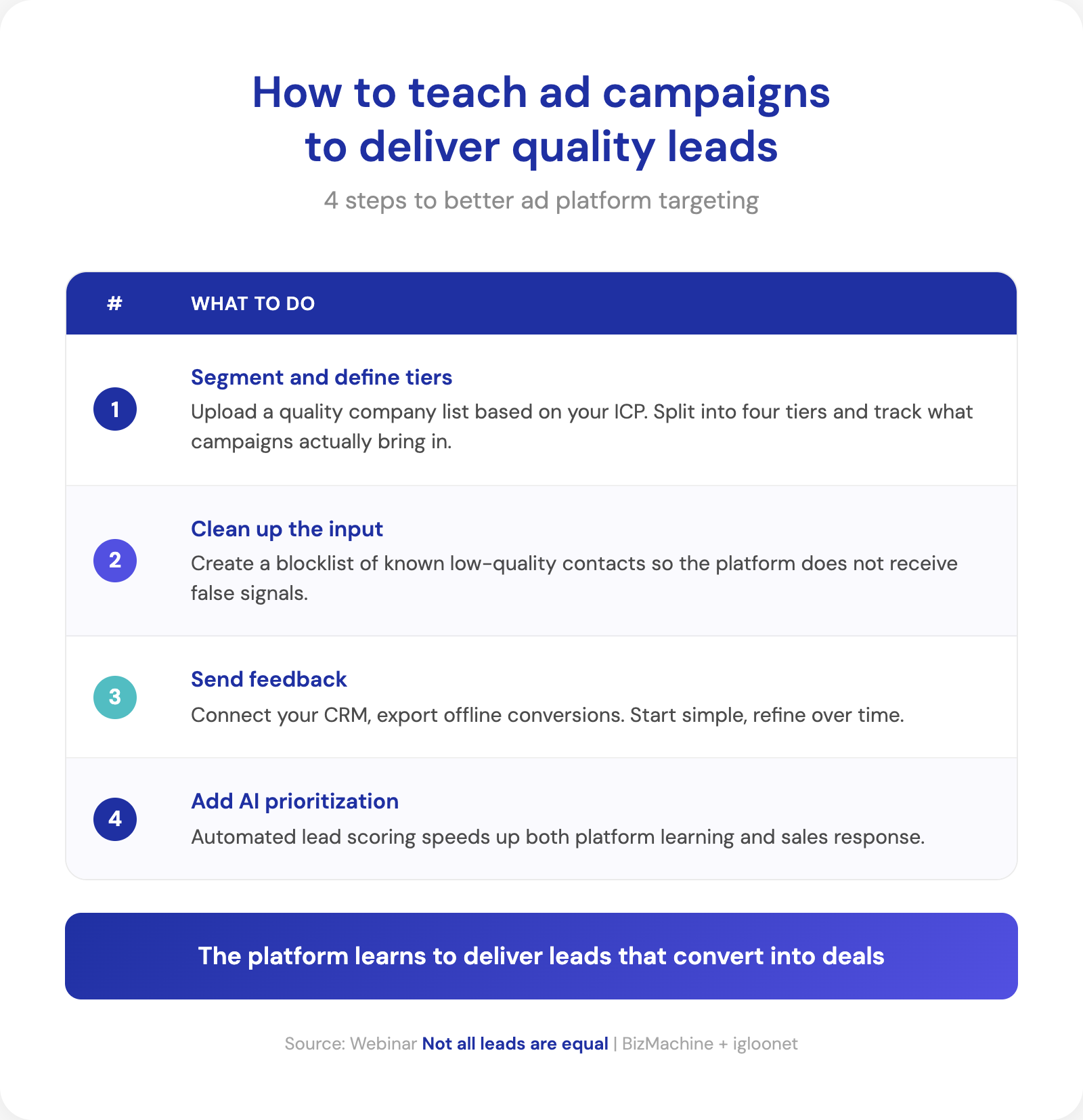
An ad platform only improves when you give it feedback on lead quality.
Igloonet combines performance marketing with advanced analytics and data management. It specializes in B2B campaign optimization and providing precise feedback to advertising platforms, aiming to maximize the quality and business value of generated leads. You'll find more at igloonet.cz.

Tereza Rejchrtova
Tereza Rejchrtova helps people understand how to use data to their advantage. She has over five years of experience in SaaS marketing, specializing in product and content marketing for B2B. She focuses on connecting complex topics with clear, accessible content.


Pernerova 697/35
186 00 Praha 8
Czech Republic

+420 735 121 860
