Which sales intelligence tool connects to Raynet CRM automatically?

29.6.2026

7 min
reading time

29.6.2026
7 min
reading time
CRM only knows what the sales rep last entered about each company. But company data changes - directors rotate, revenue grows or drops, contacts move elsewhere. Manually checking records for hundreds of companies is not realistic for most teams, so the sales team ends up working with outdated data.
BizMachine Prospector is a tool that connects to Raynet CRM natively - right inside Raynet, with no need for Zapier or third-party services. Sales teams that use it save up to half the time they used to spend on company data administration, based on customer experience. For example, the Liftago team cut their admin work by more than 50 % through automation and tool integration (Robert Pradl, Sales Lead).
After you activate the integration, BizMachine enriches every company card in Raynet with data from Prospector. Sales reps see key company information directly in the CRM - without switching between tools.
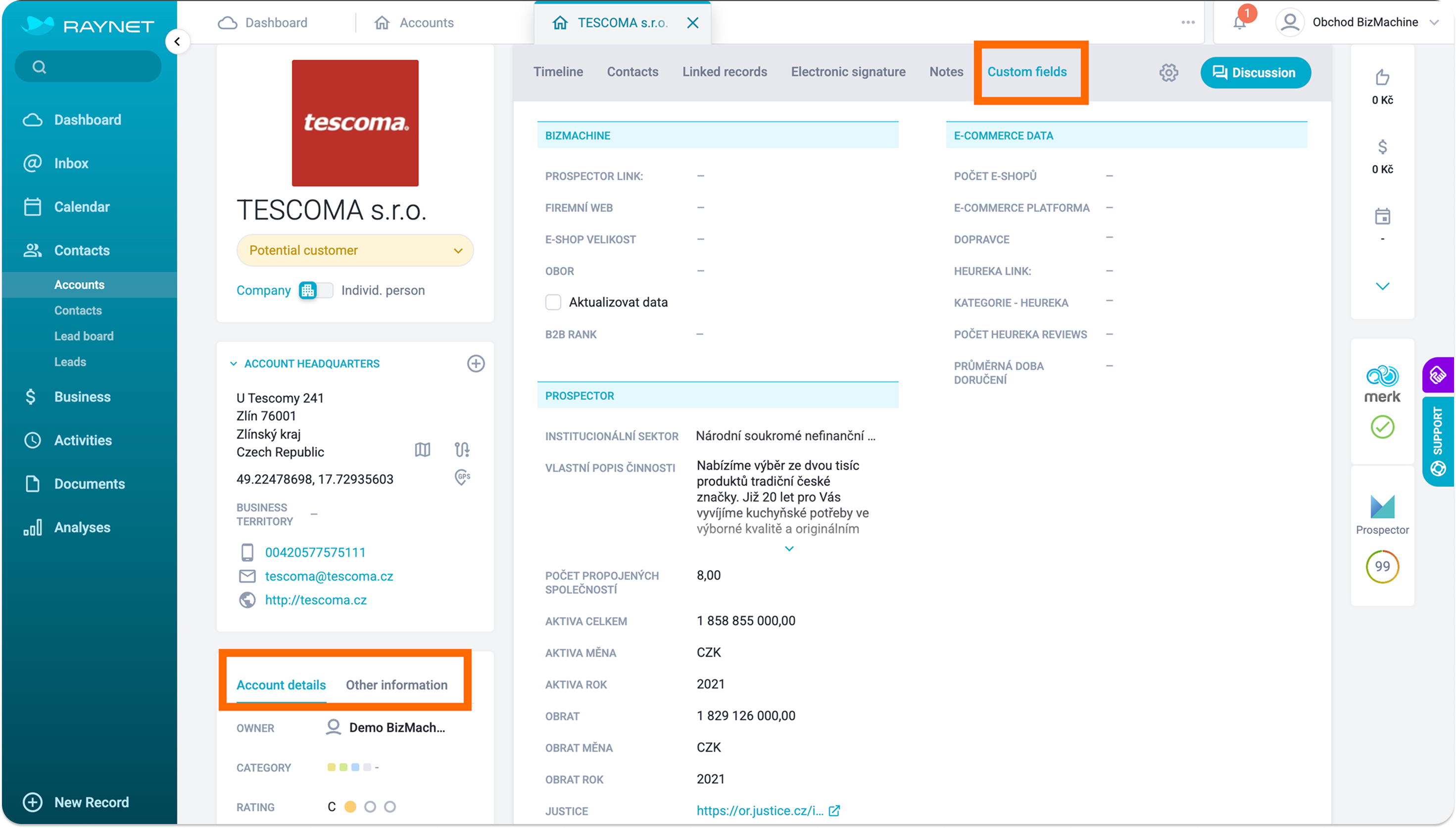
BizMachine automatically fills in basic information and enriches the CRM with custom fields grouped into a Prospector panel. These fields are stored directly in Raynet - you can use them to filter and segment your client list. Every record comes from a verified source.
You cannot manually overwrite the custom fields in Raynet - BizMachine keeps them synced automatically.
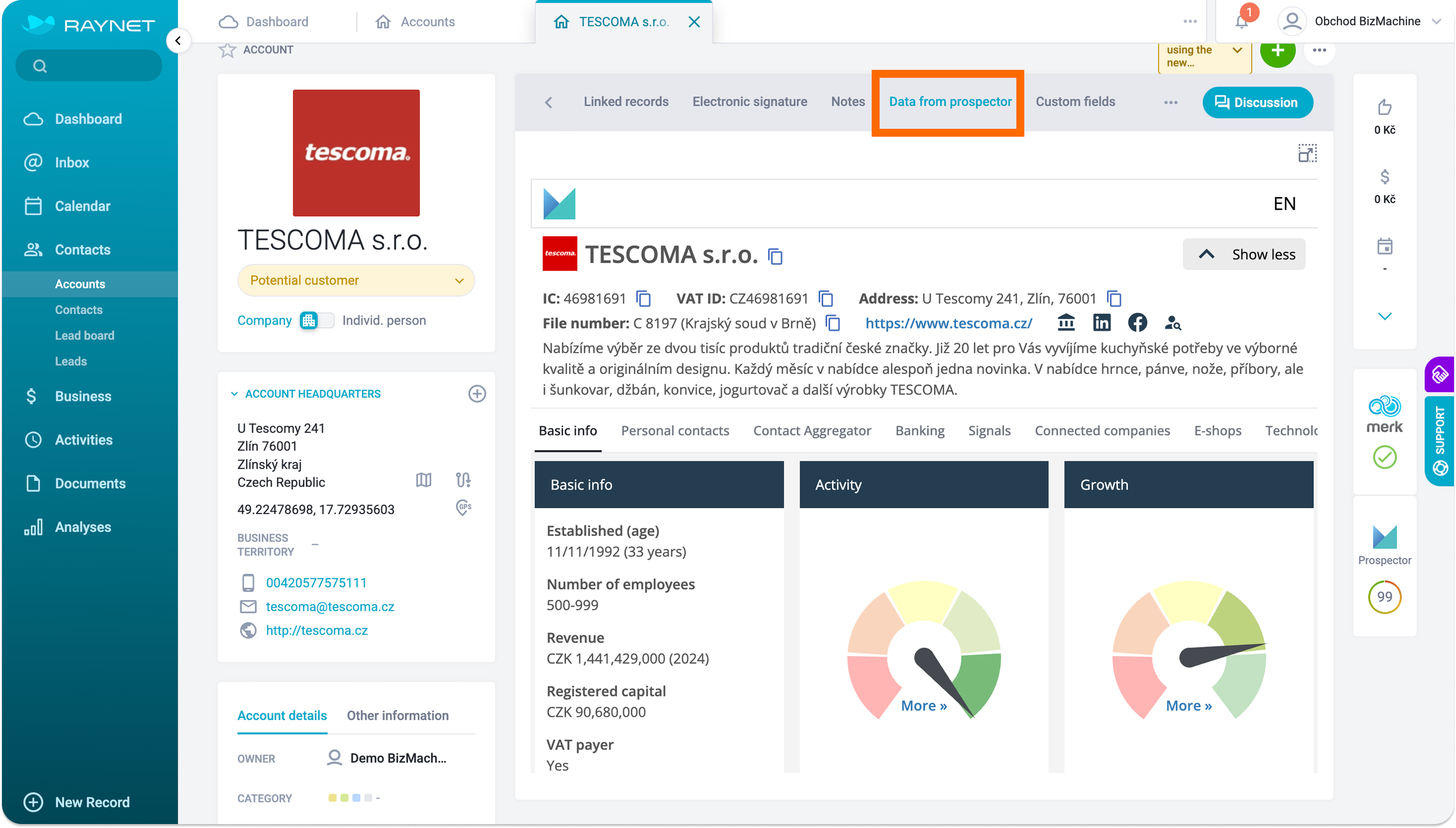
On a separate tab called "Data from Prospector", you will find the full company profile from BizMachine. It includes all available data: basic details, contacts, financials, ownership structure. And for every company, business signals - new director, address change, new branch, and more.
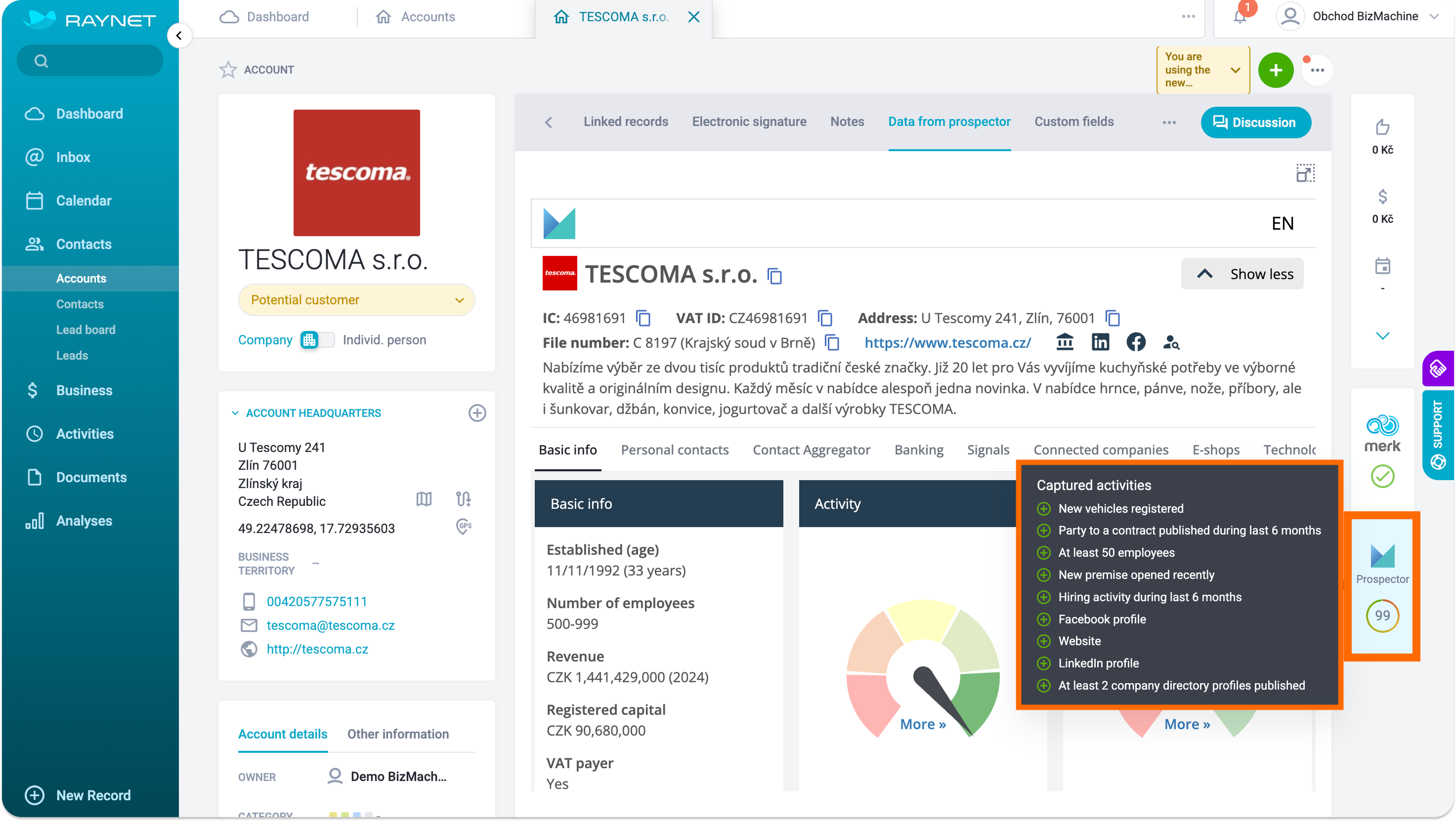
In the right-hand panel of the company card, a BizMachine tab appears with an activity index. At a glance, you can see how active a company is: whether it has a LinkedIn profile, a website, is actively hiring, or has recently been mentioned in the media.
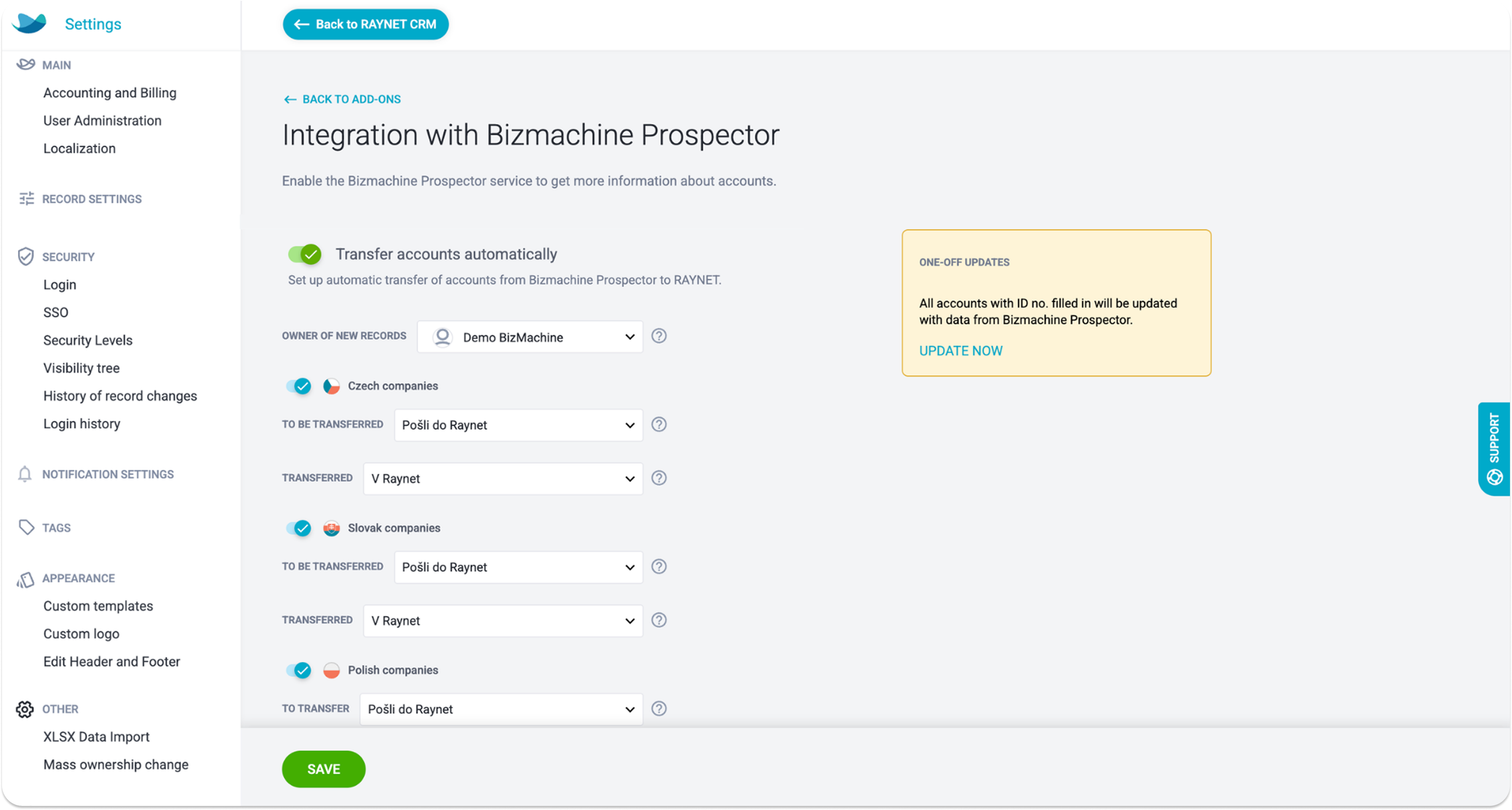
A Raynet admin can complete the setup in 5 minutes, without IT support:
How to verify the integration is working:
If the tile is missing or inactive, check that the API key is correctly saved in the settings.
You can bulk-update existing companies with a single click directly in the integration settings. Optionally, you can also set up company transfer from Prospector to Raynet using tags - separately for Czech, Slovak, and Polish companies.
For a detailed step-by-step guide, see the BizMachine Help Center
The integration is most valuable for B2B teams that sell to companies in the Czech Republic, Slovakia, or Poland and need up-to-date data in their CRM without manual work. Specifically, it is for sales managers and sales ops teams who:
You can connect multiple company data sources to Raynet. Besides BizMachine Prospector, there is Cribis - a service by the information agency CRIF for verifying creditworthiness and business relationships. The difference lies in what data you get and where you see it.
BizMachine Prospector differs from Cribis in the areas that matter most to sales teams in Central Europe:
BizMachine adds to Raynet, among other things: IČ, DIČ, date of incorporation, address, phone, email, website, headcount, industry, revenue, total assets, company health (BizMachine rating), risks, number of branches, number of e-shops, number of linked companies, LinkedIn, Facebook, Twitter, and tags from Prospector.
A Raynet admin activates the connection in Extensions > Company information > Prospector (from the left menu) by entering the API key from BizMachine. The entire setup takes under 5 minutes and requires no IT support. For a detailed guide, see the BizMachine Help Center.
Yes. BizMachine Prospector is part of the Raynet Marketplace and is integrated directly in Raynet.
Yes. Through this integration, data for companies from the Czech Republic, Slovakia, and Poland flows into Raynet.
BizMachine processes personal data exclusively from publicly available sources, and this data relates to business activities, not the private lives of individuals. We have conducted a Legitimate Interest Assessment (LIA) pursuant to Article 6(1)(f) of the GDPR, which we regularly update. BizMachine does not provide legal advice.
You can set up BizMachine Prospector in Raynet in 5 minutes. Then your CRM has up-to-date data on more than 7 million companies from the CZ, SK, and PL markets - revenue, owners, company health - without ever entering it manually - book a free demo.
Last verified: June 2026.

Tereza Rejchrtova
Tereza Rejchrtova helps people understand how to use data to their advantage. She has over five years of experience in SaaS marketing, specializing in product and content marketing for B2B. She focuses on connecting complex topics with clear, accessible content.


Pernerova 697/35
186 00 Praha 8
Czech Republic

+420 735 121 860
